


Runs on your Machine
Simplify your Boring Dev Work to a Few Clicks
Create branches, Commits by template, Open PRs with AI descriptions, Ping reviewers in Slack, Auto-move Jira issues as you ship, Run AI code review and fix PR comments.
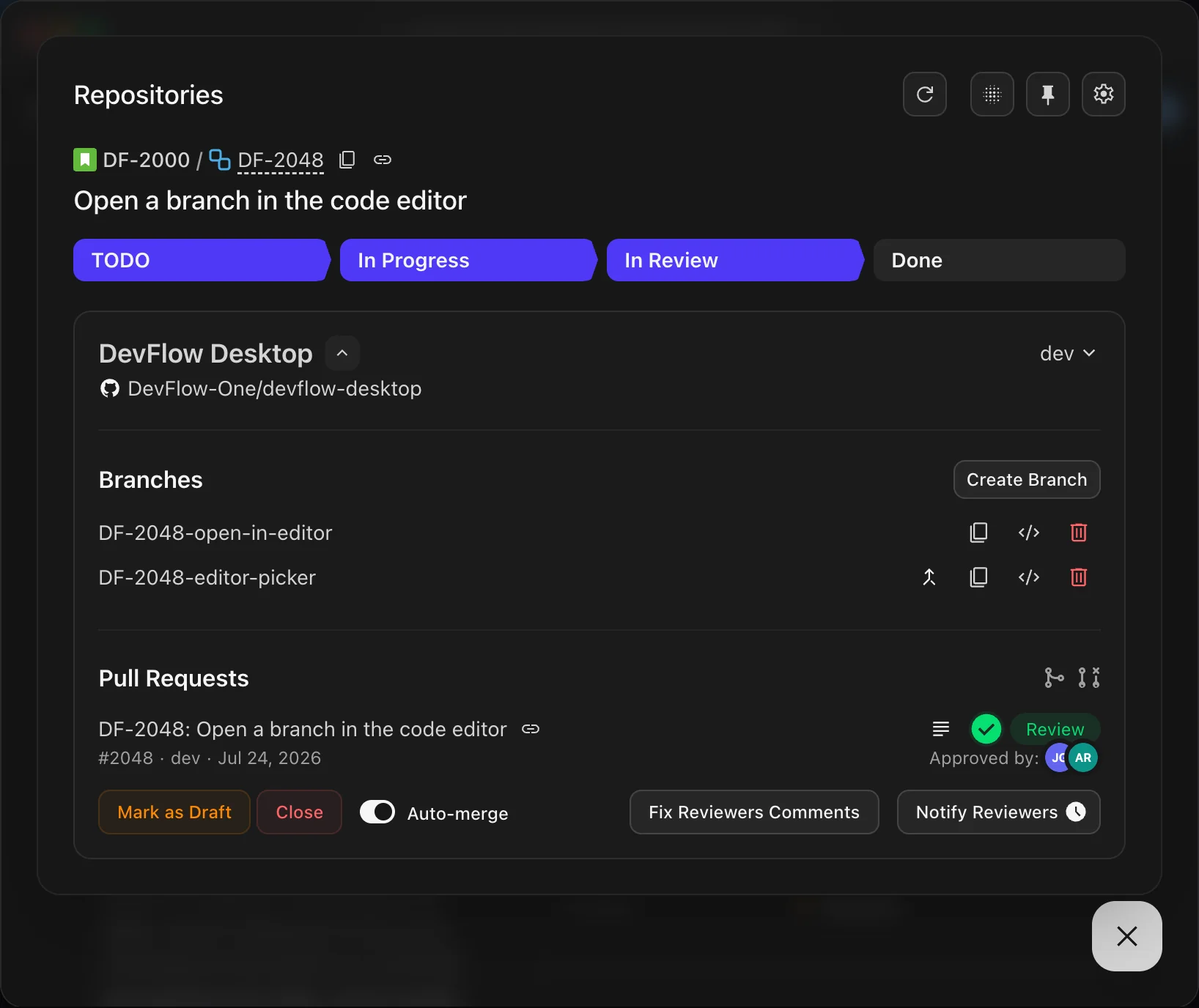
devflow-team.atlassian.net/browse/DF-2048
J
Jira
Search
9+
JG
Open a branch in the code editor
Key details
Description
As a developer, I want to open an issue branch in my code editor straight from the Jira panel, so that I can start working without hunting for the repository folder and checking the branch out by hand.
Context:
Today the panel only links to the branch on GitHub. Switching to the editor means finding the local clone, checking out the branch in a terminal and opening the folder, which breaks focus on every new task.
Acceptance criteria:
Child work items
Linked work items
Activity
Show:
JG
Details
Assignee
JG
Johnny Grid
Reporter
MK
Mila Kovach
Labels
desktop
editor
Release notes tag
Add options
Start date
Add date
Due date
Add due date
Known issue
None
Story Points
5
Sprint
DF-Sprint-2026-19Priority
Medium
Development
More fields
Original estimate
Add estimate
Time tracking
No time logged
Components
Add components
Fix versions
None
Automation
Created September 2, 2026 at 7:13 PM
Updated last week
Runs 100% Locally
Jira, Git and Slack API calls run in your browser extension — never on our servers.
Use your AI CLI
AI runs through your local Claude Code, Codex or Cursor CLI on your machine.
Fully Predictable
Plain logic, not AI guesswork — features do exactly what you set up, every time.
Secure as your Machine
Your settings and API tokens stay on your machine — never on our servers.
FEATURES
Less busywork. More focus.
10+ everyday dev chores — branches, PRs, reviews, Slack pings, Jira status updates — handled for you from the issue, with your AI CLI, on your machine.
API-DRIVEN
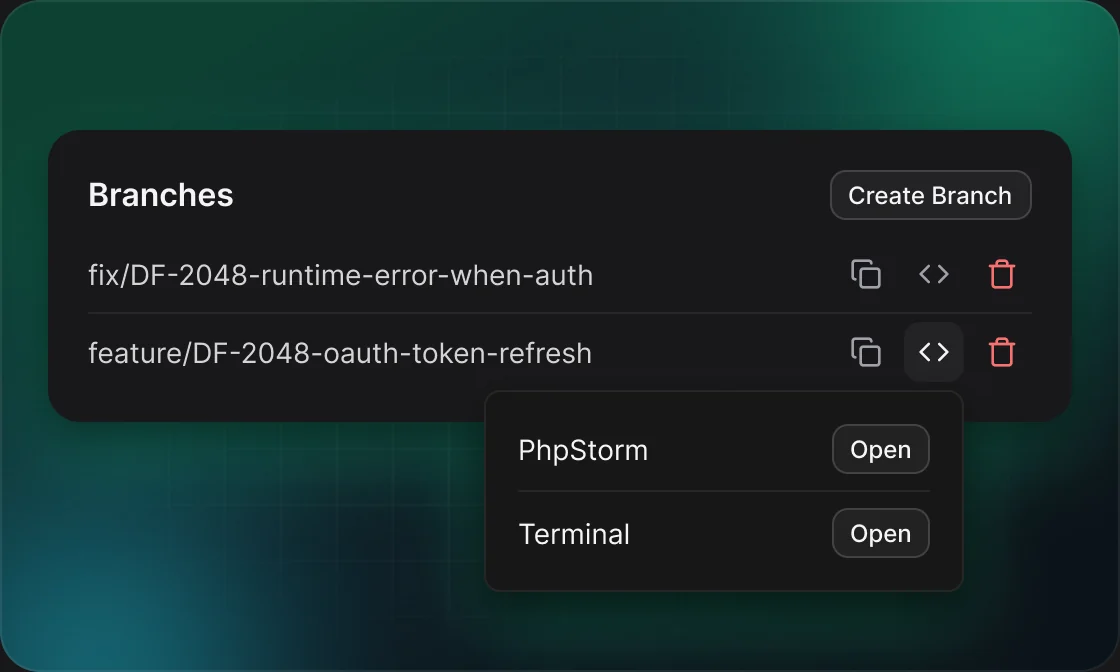
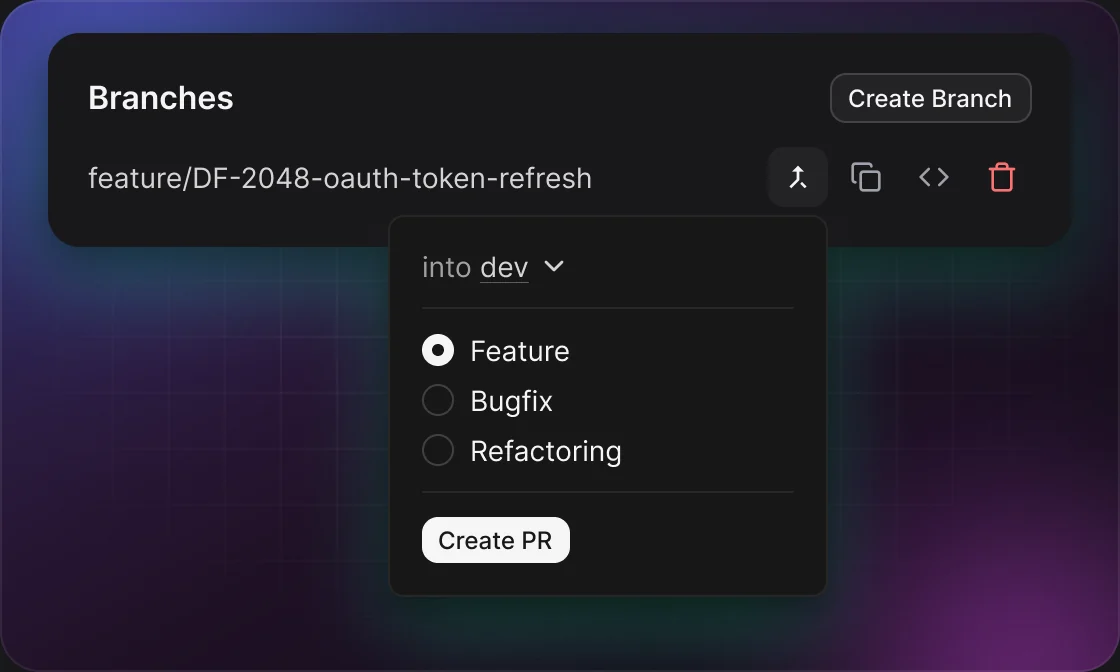
Create & checkout branches in one click
Names the branch from the Jira issue with your team's template, creates it on GitHub or GitLab off the right base, and checks it out locally — no terminal, no context switch.
API-DRIVEN
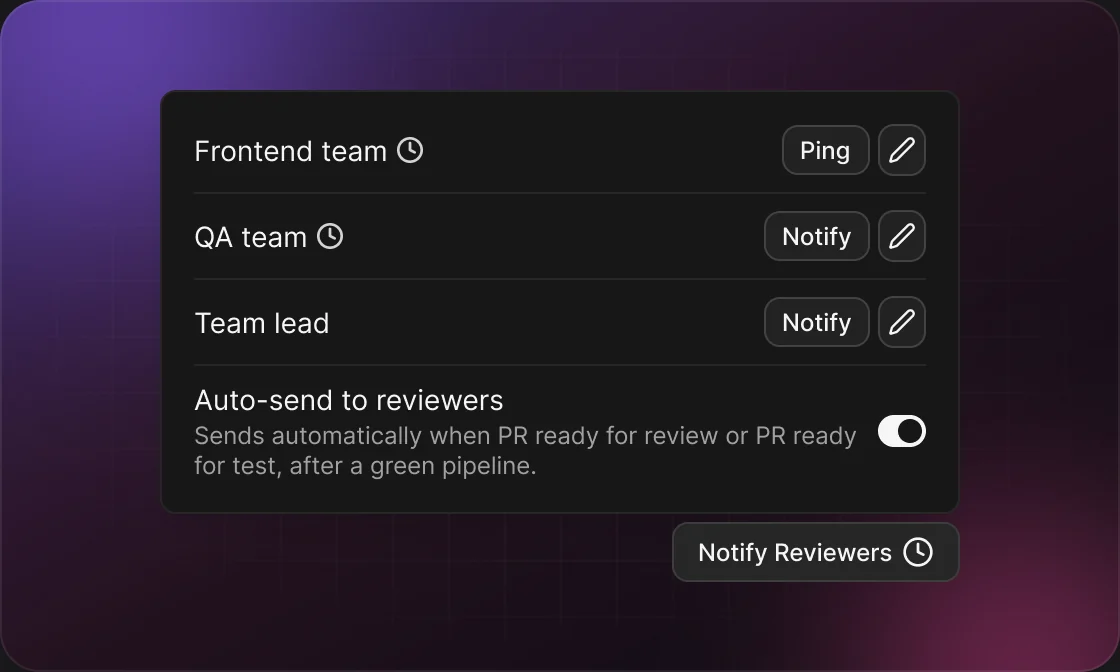
Notify reviewers in Slack
Posts the review request in your reviewer channels directly from you — threaded under the PR's GitHub or GitLab announcement, then pings that thread after you push fixes.
API-DRIVEN
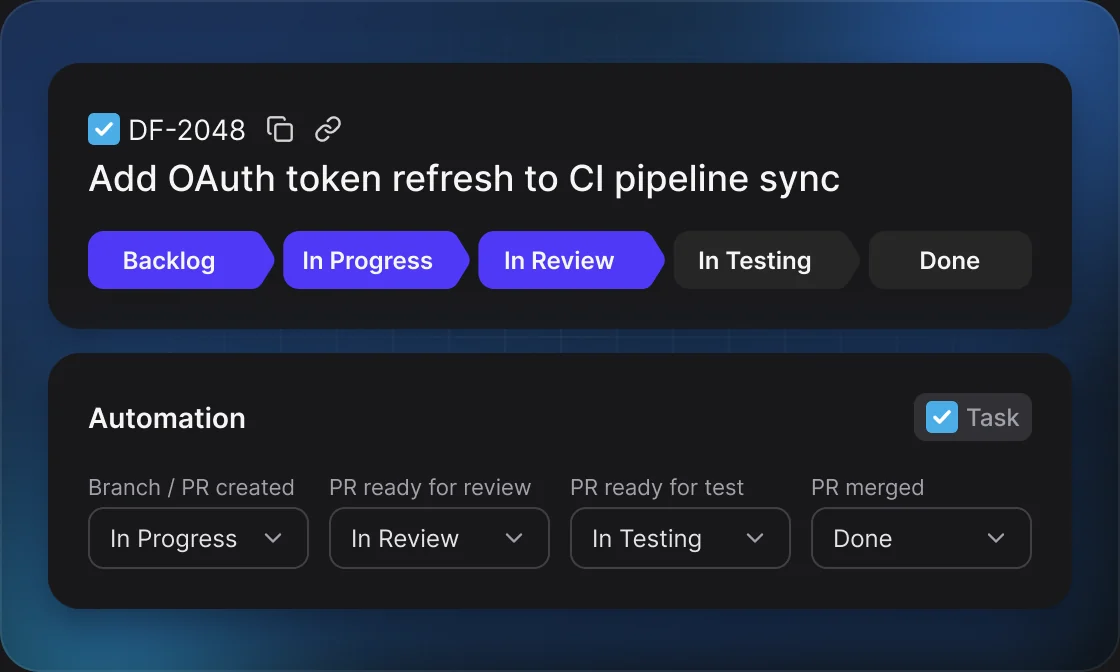
Auto-sync Jira issue status
Moves the issue forward on branch/PR created, PR ready for review, ready-for-test and merge events — routing through your workflow and autofilling required fields — while a sprint sweep keeps the board honest.
API-DRIVEN
AI · RUNS LOCALLY
Open PRs with AI descriptions
The PR is opened and templated through the app logic, while the summary and changelist are generated by your own local AI CLI — never sent to our servers.
AI · RUNS LOCALLY
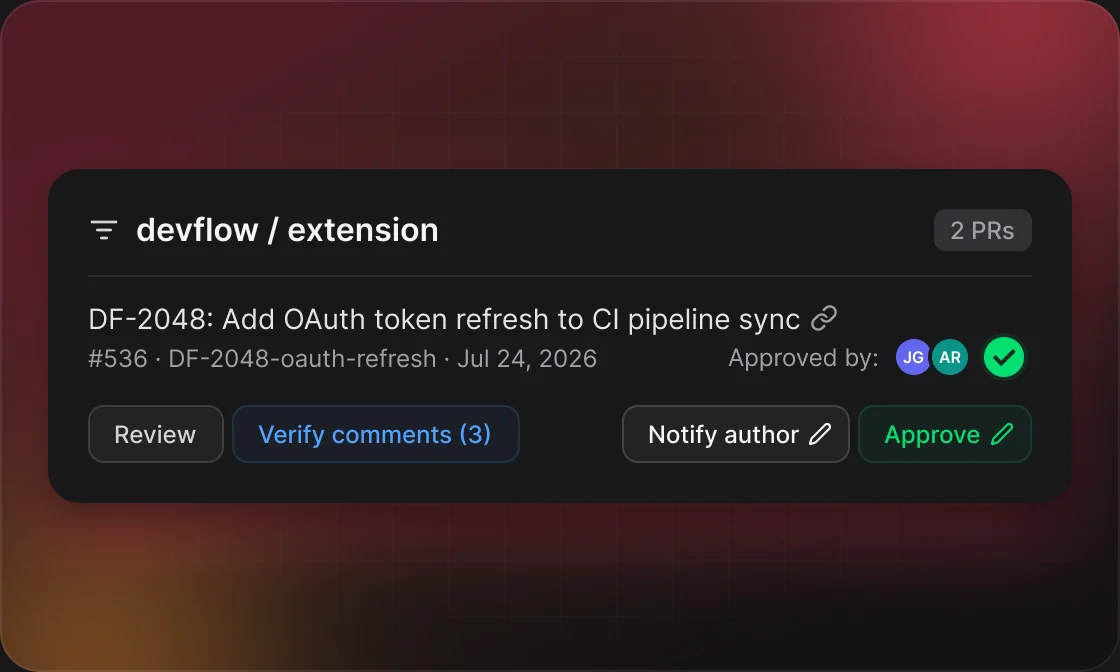
Review PRs with AI — then verify the fixes
Your local AI CLI drafts line-by-line comments ranked BLOCKER to LOW. You check and publish them, then let AI verify the author's fixes and resolve finished threads before you approve.
AI · RUNS LOCALLY
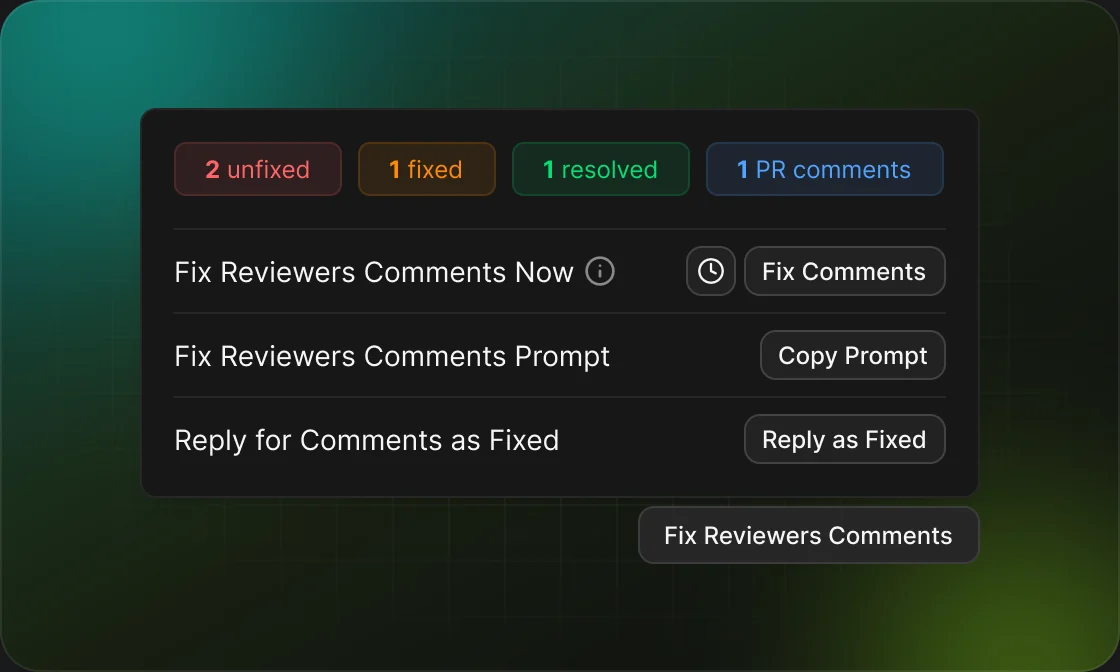
Auto-fix review comments with AI
Your AI CLI fixes each open comment in an isolated worktree — one comment, one commit, written with your commit template — then pushes to the PR branch and replies “Fixed” on every thread.
API-DRIVEN
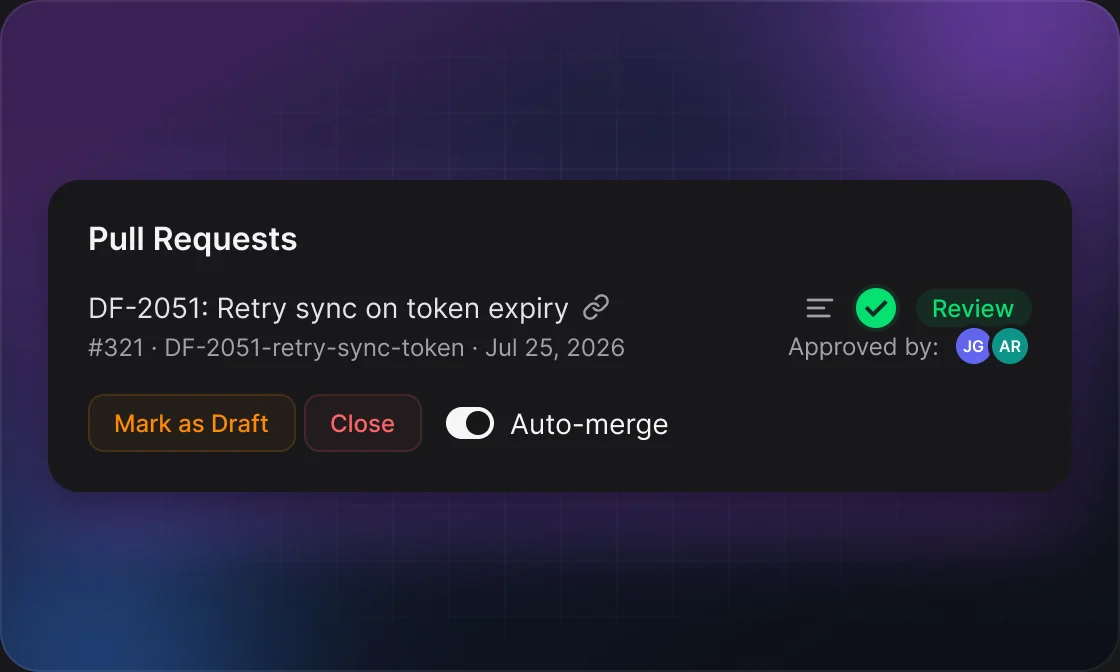
Auto-merge when every rule passes
Merges the PR as soon as your rules pass — exact approvals, a green pipeline, resolved comments. Set it per repo or per PR type. Disable it for specific PRs when needed.
API-DRIVEN
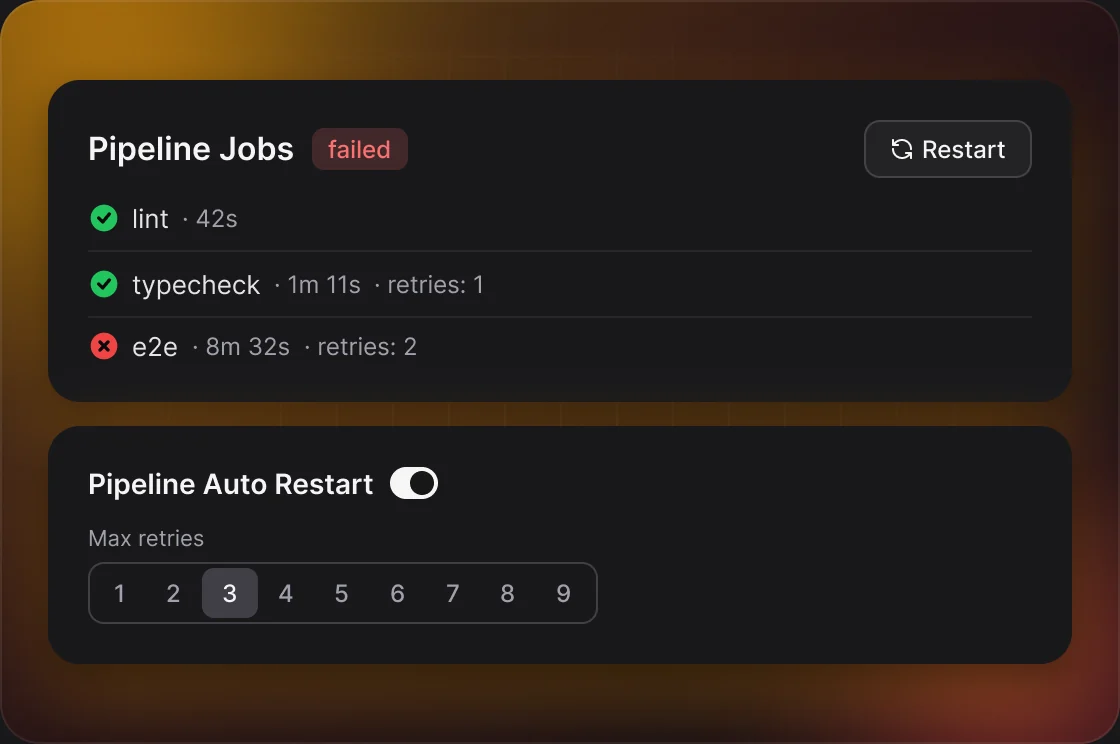
Auto-restart pipelines when they fail
A background loop re-runs failed CI jobs — flaky failures fix themselves, and you only hear about it once the retries run out.
API-DRIVEN
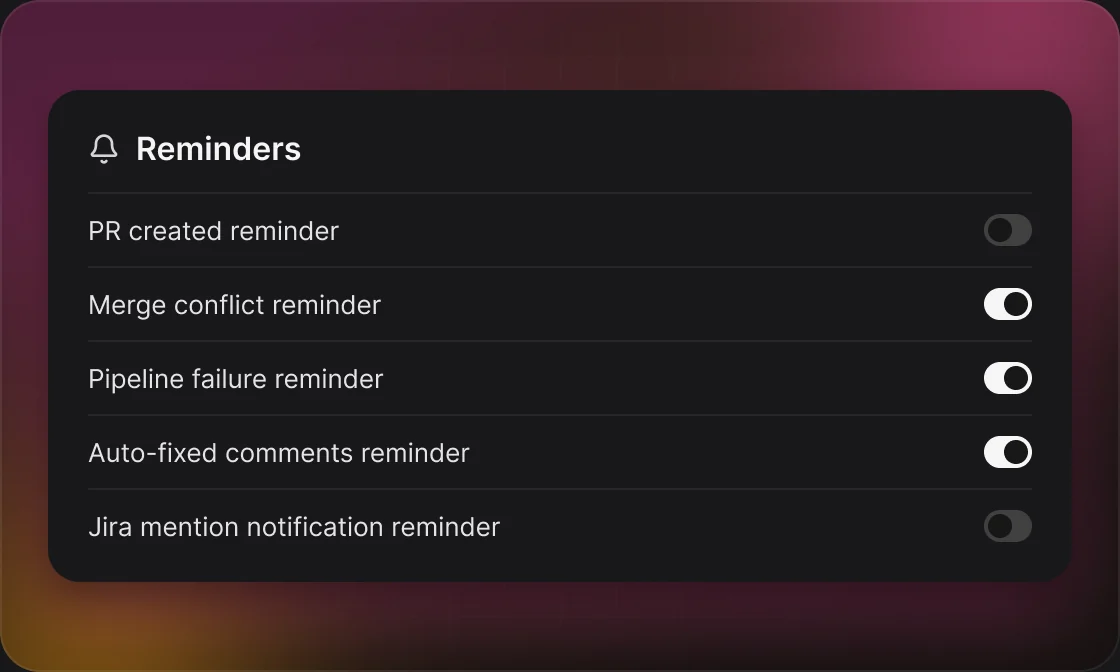
Slack reminders that find you
Private Slack reminders from your own account, seen only by you — for failing pipelines, auto-created MR, merge conflicts (and when they block auto-merge), auto-fixed comments and Jira mentions.
CLI · MCP
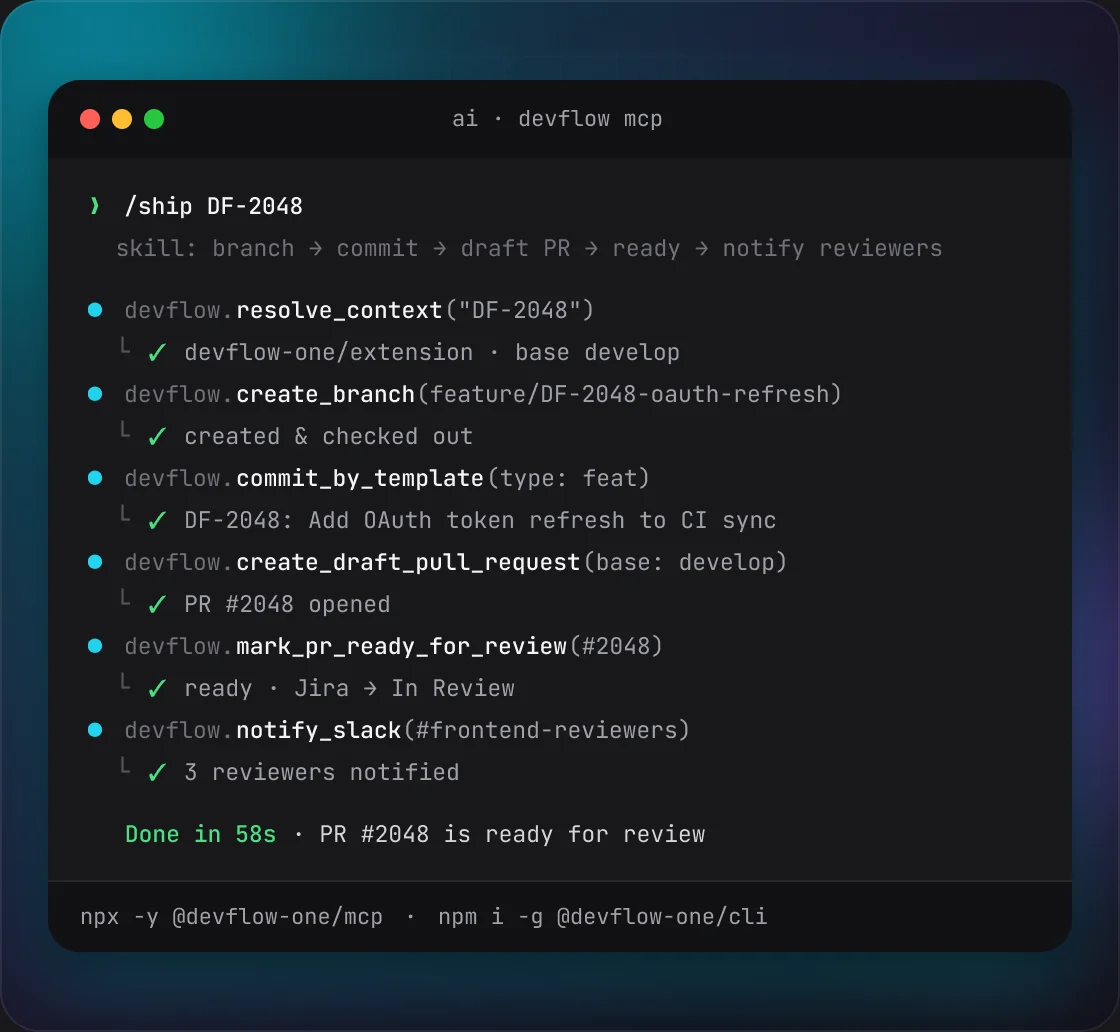
Build your own flows with CLI & MCP
22 actions — branches, draft PRs, commit by template, pipelines, Slack — from your terminal or any AI agent. Script your own flow, or tell Claude Code, Codex or Cursor to “ship this branch for review”.
PRICING
Pay once. Yours forever.
Start with a 30-day free trial. Then a single one-time payment — no subscription, all future updates included.
LIFETIME LICENSE
$29
one-time
Free for 30 days — no card required to start. Pay once when you're ready; every future update is included.
- ✓All 10 workflows, from branches to auto-merge
- ✓Works with GitHub, GitLab, Jira & Slack
- ✓AI via your Claude Code, Codex or Cursor CLI
- ✓DevFlow CLI & MCP server to build your own flows
- ✓Tokens & settings stay local — never on our servers
- ✓All future updates included, forever
Start your 30-day free trial
Then $29 once. Cancel anytime during the trial.
FAQ
Questions, answered
Everything about privacy, setup, and how DevFlow runs on your machine.
Is my code or data sent to your servers?
No. All provider API calls run inside the browser extension using your own tokens. The only thing that touches our server is a license check, which carries just your license token — never your code, repos, or credentials.
Which tools does DevFlow work with?
GitHub and GitLab for branches, PRs and pipelines; Jira for issues; Slack for review requests and private reminders, sent from your own account; and Claude Code, Codex or Cursor for the AI features.
What exactly do the AI features do?
They write PR descriptions from your template, draft line-by-line code reviews, and fix reviewer comments one at a time in an isolated worktree — one comment per commit, pushed to the PR's own branch. All of it runs locally through your AI CLI.
Do I need an AI subscription to use it?
Most features are API-driven and use no AI at all. The AI features (PR descriptions, code review, fixing review comments) run through your own local Claude Code, Codex or Cursor CLI — so you use whatever AI plan you already have.
Where are my API tokens stored?
Locally, on your machine. Your settings and API tokens are stored on your device — DevFlow never uploads them.
Can I get a refund?
Yes. Start with a 30-day free trial, and every purchase is backed by a 30-day money-back guarantee. If it's not for you, we'll refund it.
Automate the Busywork. Keep the Control.
Branches, Commits, PRs, Slack, Jira and pipelines — driven by predictable logic, running on your machine. Try it free for 30 days.